Translation Pipelines: From Extraction to Continuous Deploy
A translation pipeline moves content from code to live translation automatically: extraction, TMS handoff, human or MTPE translation, review, and deploy.
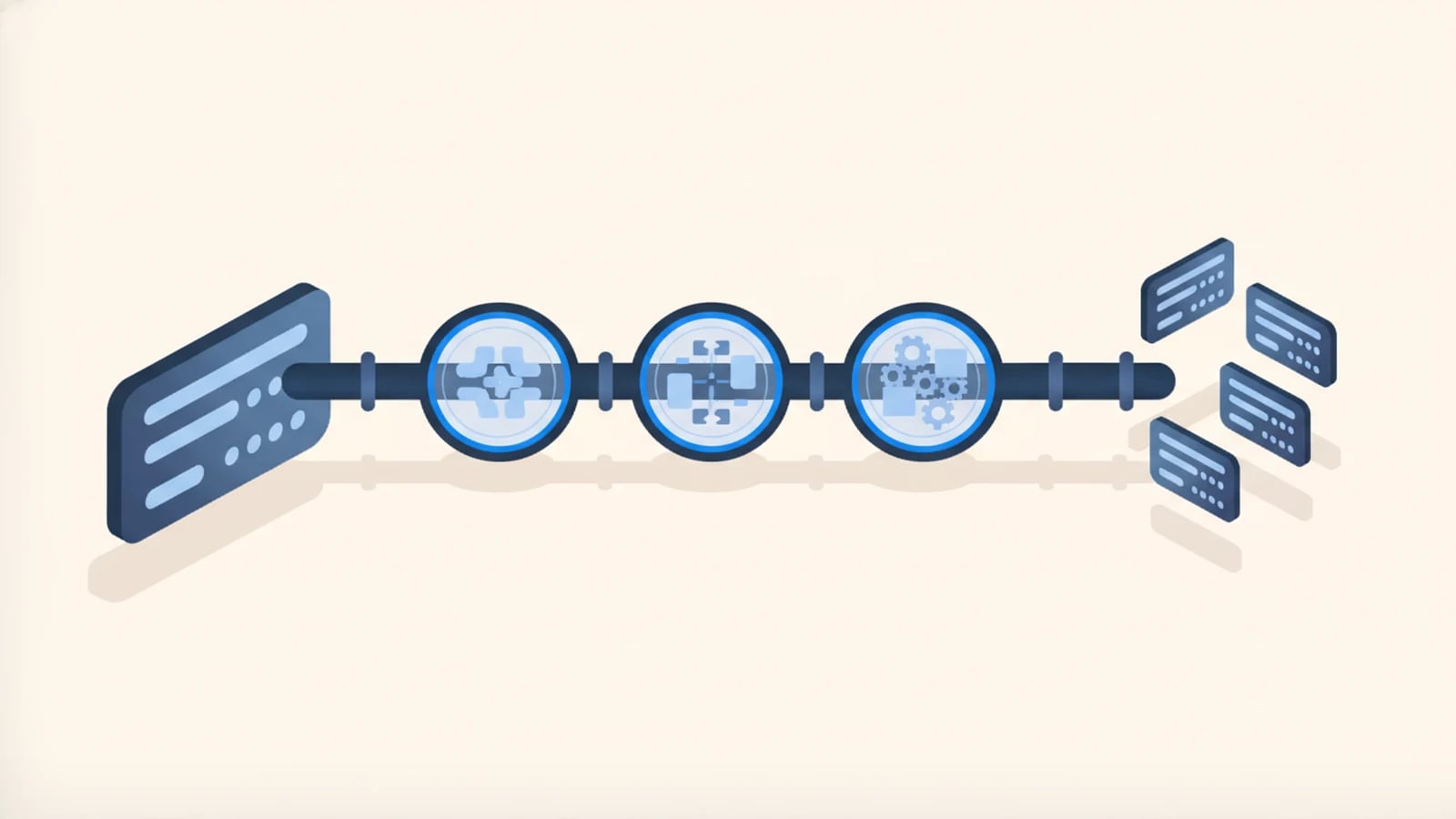
A translation pipeline is the automated route your product's text takes from the codebase to professional translators and back into production, on every release, with no spreadsheet and no email thread carrying the work by hand. It is the infrastructure layer of multilingual software development: the part that decides whether a new feature launches in every supported language on day one, or waits weeks for a manual translation round while non-English users fall behind.
We built this pipeline architecture from the vendor side first. At BeTranslated, the translation business Globaprom grew out of, we coordinated hundreds of professional linguists across dozens of language pairs under fixed client deadlines for more than twenty years.
Catching Every New String on Release
Extraction is the first stage, and nobody has to remember to run it. A script or build-time plugin scans the codebase on every commit or release, finds every user-facing string, and diffs it against the last known set. New strings get flagged as new. Changed strings get flagged as changed, not silently resent as if they were fresh content nobody had translated before. Deleted strings drop out of scope, so translators never spend time on copy that no longer ships.
The mechanics vary by stack. React and Vue projects typically extract from i18next or FormatJS resource files. Server-rendered apps pull from gettext .po files or Java resource bundles. Static sites extract from front matter and Markdown content. Every setup depends on the same rule from the i18n layer underneath: strings live in resource files under stable keys, never assembled from fragments inside application logic. A pipeline can only extract what the architecture already externalized. Skip that groundwork (see i18n explained for non-engineers) and there is nothing clean to extract, only strings buried in code that a script cannot safely touch.
The failure this stage prevents is familiar to anyone who has run multilingual content the old way. A developer ships a feature, the English string appears, and every other language quietly drifts behind until someone remembers to request a translation batch. Automated extraction removes the remembering. The moment a string exists in the source language, it exists in the queue for every other one.
Translation Memory and Terminology Glossaries in the TMS Handoff
Extracted strings land in a translation management system (TMS), the platform that routes content to translators, tracks status per language, and enforces the two mechanisms that make repeat translation work both affordable and consistent.
Translation memory is a database of every segment translated before, matched against new content sentence by sentence. A new string that matches a stored translation exactly gets reused for little or no cost. A string that is close but not identical (a "fuzzy match") gets suggested to the translator with the percentage of difference shown, so they edit instead of retyping from a blank line. Over years of product content, translation memory compounds: recurring UI strings, boilerplate legal text, and repeated product names stop costing anything to translate again.
Terminology glossaries solve a different problem: consistency. A product with dozens of contributors and hundreds of strings will otherwise accumulate three different German words for the same button, because three translators each made a reasonable choice on three different days. A glossary locks the approved term, its part of speech, its context, and the terms to avoid, so every translator, human or machine, renders "cart" the same way on every screen. We maintain client glossaries the way we maintained them for translation clients for two decades: reviewed by someone who knows the product, not generated once at kickoff and left to rot.
The interchange format underneath most TMS platforms is XLIFF, the XML Localization Interchange File Format ratified as an OASIS standard specifically to carry translatable content, its surrounding context, and its status between tools without losing any of the three. A TMS that cannot import and export XLIFF cleanly will fight your codebase at every handoff, not just the first one.
Choosing Human, Machine, or MTPE by Content Type
Not every string deserves the same translation method. Treating them identically wastes either money or quality, and usually both at once.
Human translation earns its cost wherever a mistake gets expensive: contract terms, pricing pages, legal notices, onboarding copy that shapes a first impression, and any string on a payment or consent screen. A skilled linguist catches ambiguity that a machine renders confidently and wrong.
Machine translation post-editing (MTPE) sits in the middle. A machine translation engine produces a first draft, and a professional translator reviews and corrects it against the source rather than starting from a blank page. ISO 18587:2017 sets the formal requirements for that process and for the post-editor's competence, which matters because "MTPE" gets used loosely in vendor pitches; the standard defines what a full post-edit actually has to check before it ships. MTPE fits volume content where a human-only budget cannot keep pace: long-tail product descriptions, support archives, and catalog data with thousands of near-identical entries.
Raw, unreviewed machine translation belongs on the narrowest slice of content: internal tools nobody outside the company sees, or copy explicitly labeled as machine-generated so the reader knows what they're getting. We rarely recommend it for anything customer-facing without at least a light human pass, because fluent-sounding and confidently wrong is harder for a reader to catch than an obvious typo.
This decision works best as a content-type map, agreed once per project rather than argued over for every string. We build that map straight into the TMS routing rules at setup, so new content lands on the right desk automatically, no triage meeting required.
Why In-Context Review Catches What Spreadsheets Miss
A string translated correctly in isolation can still be wrong on screen. "Save" as a verb and "save" as a noun (a discount, a bookmark) are different words in French, Spanish, and most other languages, and a spreadsheet column showing only the English word gives no signal which one applies. Length is the second recurring failure: an accurate translation can overflow its button the moment it renders 30% longer than the English original, the allowance localization teams commonly budget for German interface text.
In-context review closes that gap. Modern TMS platforms render a live or simulated preview of the actual screen, so translators see the button, the neighboring labels, and the available width while they work, not a row number next to a string ID. Some setups go further, attaching screenshots captured automatically from a staging build to each string that needs one.
We treat this stage as mandatory rather than optional, because the defect gap is large enough to matter. Translators working without context guess, and every guess is a coin flip against your product's actual meaning. Translators working with context ask fewer clarifying questions and produce fewer post-launch fixes, because they are translating the product in front of them instead of a list of words next to it.
Continuous Merge and Deploy vs. the Old Translation Phase
The old model treated translation as a phase: build the product in English, freeze the strings, send a batch to translators, wait, then ship every language at once, usually weeks after the English release. Every subsequent update repeated the same freeze-and-wait cycle, so non-English users stayed permanently behind, catching up to a version that had already shipped and moved on.
A production pipeline replaces the phase with a loop. Approved translations flow back from the TMS through the same review and build gates as code: a pull request, automated checks, a merge. With continuous localization, that loop runs on every release rather than on a translation calendar, so a French or Japanese user sees a new feature in the same release window as an English one, not a quarter later.
That shift separates multilingual software that stays current from a product translated once and left to drift. We have worked both models from the vendor side: the old batch handoff, where a client's engineering team waited on our delivery schedule, and the continuous loop, where translated content merges alongside code because the pipeline treats it as a build artifact, not a separate workstream managed on its own clock. The second model removes an entire category of "which language is behind" status meetings. The answer is always the same: none of them.
What Twenty Years on the Vendor Side Taught Us
We used to sit at the far end of this pipeline, not the company building it. For more than two decades, BeTranslated received extracted strings, staffed hundreds of freelance linguists across dozens of language pairs, and pushed finished translations back against a client's deadline, not our own.
That vantage point taught us where pipelines actually break. Glossaries drift once nobody owns them past the kickoff call. Translation memory rots when a TMS migration loses the database, and every string prices out as new again. Deadlines slip hardest at the handoff points rather than during translation itself, because a linguist can only start the moment content actually reaches them in a usable format.
Building the pipeline ourselves now, instead of receiving files at the far end of it, is why we design the handoff first: which TMS, which glossary owner, which review gate, before a single line of application code assumes a second language exists.
Frequently Asked Questions About Translation Pipelines
What is a translation pipeline?
A translation pipeline is the automated system that extracts new content from your codebase, routes it through a translation management system, gets it translated by humans or MTPE, reviews it in context, and merges it back on every release. No manual handoffs required.
How is a translation pipeline different from a translation phase?
A translation phase batches translation at the end of a build or repeats it as an occasional catch-up round, so users wait weeks for new languages. A pipeline runs continuously: every release ships every supported language at once, because translation is a build step, not a separate schedule.
What does TMS stand for?
TMS stands for translation management system: the platform that routes content to translators, applies translation memory and terminology glossaries, and tracks status per language. In logistics, the same three letters mean transportation management system, an unrelated tool.
How is a translation pipeline different from localization?
A pipeline is the mechanism; localization is the broader adaptation it delivers, formats, currency, and imagery included. The pipeline moves the words and their status; localization decides everything else a given market needs on top of them.
Do you translate the content yourselves, or just build the pipeline?
We arrange the translation rather than perform it as your in-house team would. Through the pipeline we build and our network of professional linguists, spanning dozens of language pairs and hundreds of translators, you get human translation or MTPE on tap for every release.
Wire the Pipeline Once, Ship Every Language After
Tell us which languages your product needs and how new strings get handled today, if at all. We scope the extraction, the TMS, the glossary, and the review gate as one fixed-price build, not a subscription bolted onto your codebase after launch.
Keep reading
Need software that speaks every market from day one?
Tell us what you need built. We reply with a fixed scope, a fixed price, and a delivery date measured in weeks.